Turn saved
links into plans.
Share a link and Oupla turns it into a plan. Solo or with friends.
Be the first to know when Oupla launches. No spam.
Your address is only used to tell you when Oupla launches. One-click unsubscribe from the email. Privacy
Coming soon to iPhone and Android · Free

The problem
347 saved
posts.
0 nights out.
The restaurant you spotted on Instagram, the show from TikTok, the hike you’ll do “someday”… It all ends up in a folder you never open. Oupla brings it back at the right time, so the idea actually happens.
Features
Everything you need
to finally go.
Shared lists
“Lyon weekend”, “Restaurants to try”: build lists with friends and fill them up together.
Suggest a date
Pitch a date and everyone answers “I’m in” or “can’t make it”. No more endless group chats.
Illustrated categories
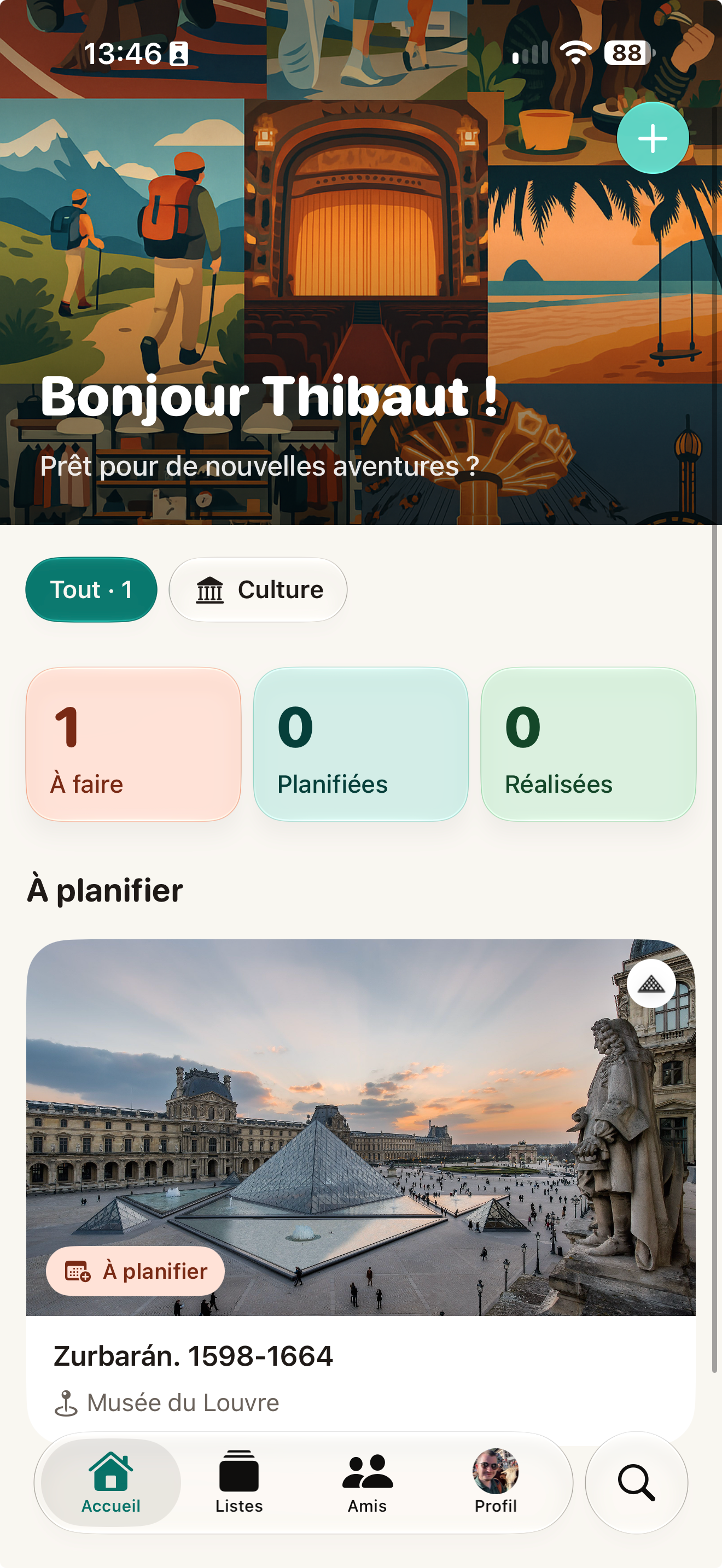
Hiking, Food, Theatre, Travel, Sports, Culture… every plan gets its own painted poster.
- Hiking
- Food
- Theatre
- Travel
- Sports
- Culture
In your calendar
Add a planned outing to your calendar in one tap, address and link included.
To do, planned, done
See what’s coming up and everything you’ve already lived.
Useful reminders
A nudge before you go, a heads-up when a friend suggests a date. Otherwise, quiet.
Oupla+
Free to start.
Unlimited when you want more.
Free
€0
forever
- 10 AI analyses a month
- 2 lists
- Share from all your apps
- Planning and calendar
- Lists shared with friends
Oupla+
−37% yearly€3.99
a month · or €29.99 a year
- Unlimited AI analyses
- Unlimited lists
- Everything in the free plan
7-day free trial on the yearly plan
Subscribe in the app with your App Store or Google Play account. Cancel anytime.
FAQ
Frequently asked
questions
Is Oupla free?
Yes. The free plan includes 10 AI analyses a month and 2 lists, with no time limit. Oupla+ unlocks unlimited analyses and lists.
Which links work?
Almost all of them: Instagram posts and reels, TikTok videos, restaurant, museum and venue websites, articles… If the AI misses something, fill it in in two seconds.
What happens to my data?
We only keep what the app needs to work, we never sell it, and this site uses no cookies. You can delete your account and data at any time. Details in our privacy policy.
Can I use it on my own?
Of course. Shared lists are a bonus: Oupla works great as your personal wish list.
iPhone and Android?
Yes, Oupla is on iPhone (App Store) and Android (Google Play). Shared lists work across both.
How do I cancel Oupla+?
From your phone’s subscription settings: Settings › your name › Subscriptions on iPhone, Play Store › Payments & subscriptions on Android. You keep Oupla+ until the end of the paid period.

Stop saving.
Start going.
Your next night out is already in your saved posts.
Be the first to know when Oupla launches. No spam.
Your address is only used to tell you when Oupla launches. One-click unsubscribe from the email. Privacy
How it works
From link to plan
in three taps.
1Share a link
From Instagram, TikTok, Safari or Chrome: tap Share, then Oupla. No copy-paste, no forms.
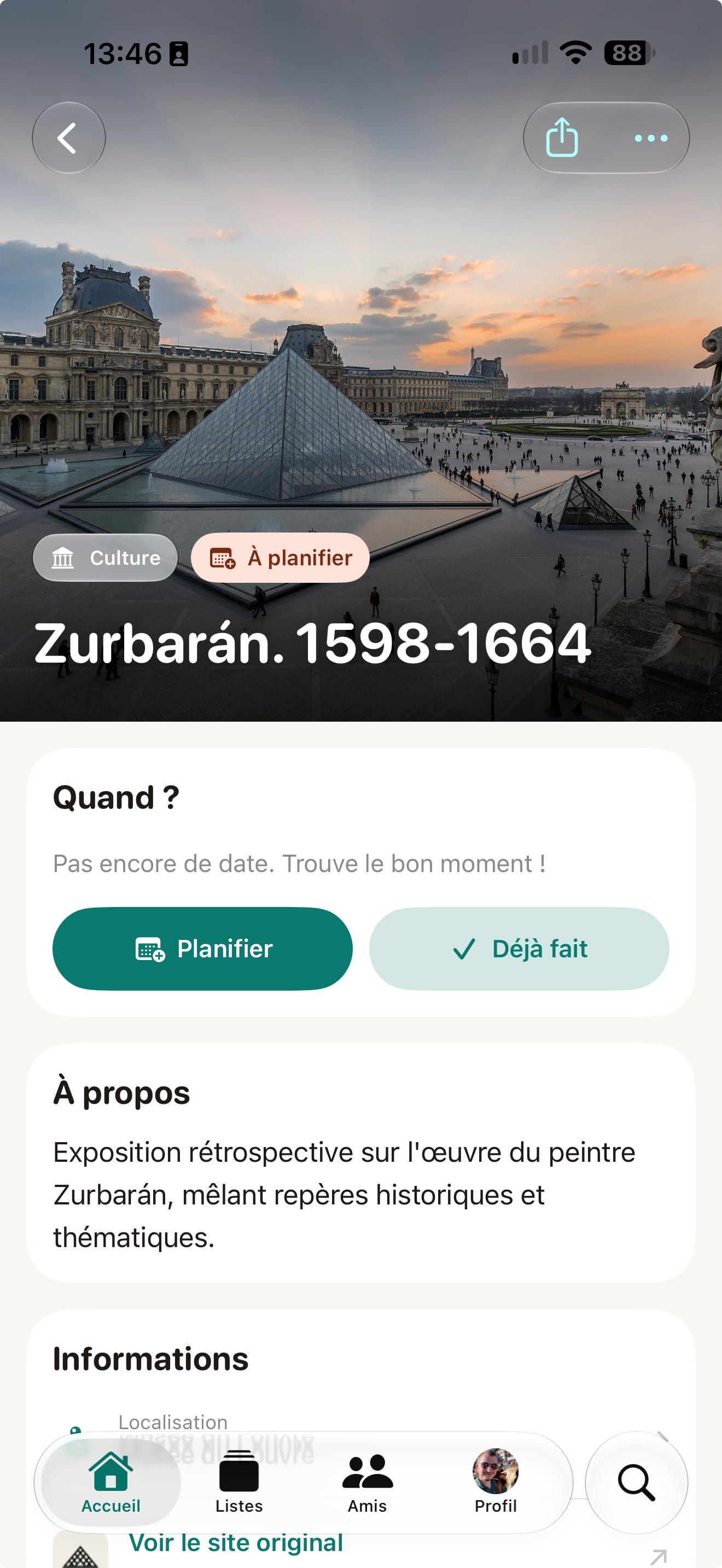
Zurbarán. 1598–1664
2AI does the rest
Photo, place, price, rating and category: the card fills itself in seconds.
Saturday · 3:00 pm
Reminder the day before
3Make a plan, solo or together
Pick a date, get a reminder, add it to your calendar. Or pitch it to your crew.